

Did you come across this popup telling you that “The Form template cannot be published to the server” because “Sandboxed solutions are not enabled on the SharePoint server farm” and that you should “contact a site collection administrator or publish the template as administrator-approved form template” when working with InfoPath? If you don’t know what that means then you have probably (accidentally?) clicked one of the buttons in the Developer-tab which have added managed code to your form, and now you have a form which you can’t publish anymore.
The fix is easy…
Click File in the upper left corner followed by Form Options:

Then select Programming on the left hand side and click Remove Code on the right hand side:
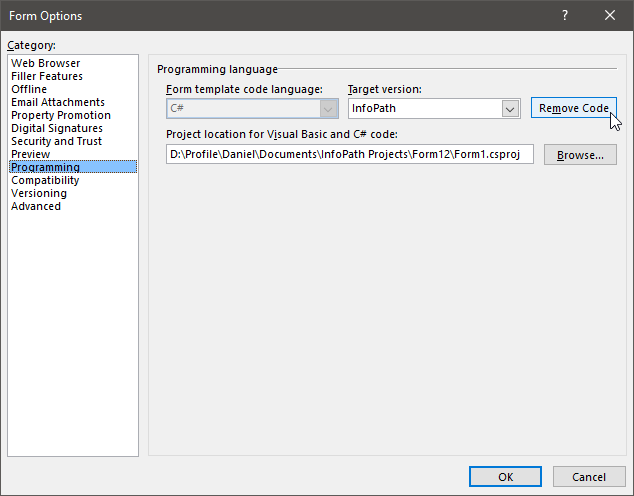
Now you can publish your form again.
Happy SharePointing!
InfoPath/SharePoint newbie – Saved my bacon/sanity – cheers
yup, also helped me out
My site is working again! Thanks, really is very easy!
What if I need the Form Code?
THANK YOU! I couldn't figure out how to go back to "no code" so I could publish the form to a normal library.
Saved me wasting any more time!